Author
Plugin created by ©Kupofty 2026
Manual Version
This manual applies to version 1.0.0.
See what’s changed in the CHANGELOG.
Overview
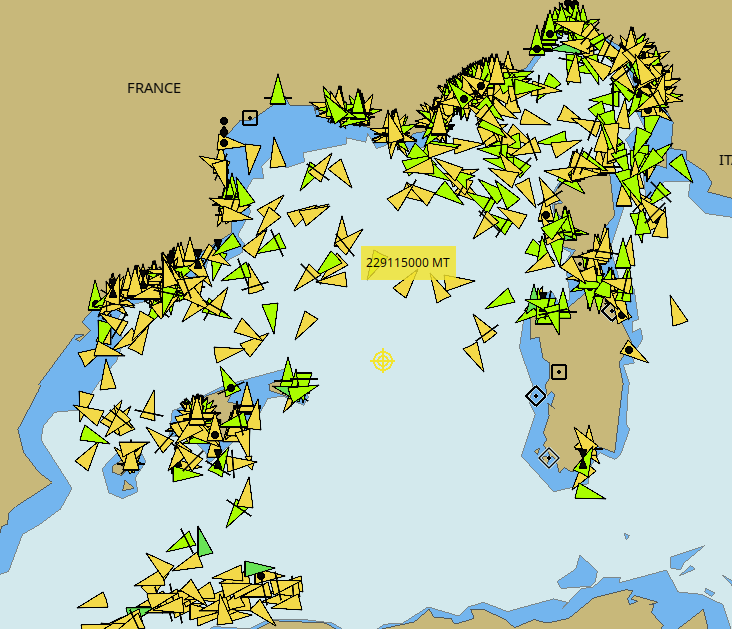
AisLive is an OpenCPN plugin that streams live AIS targets from the OpenWaters.io AIS Stream service directly into OpenCPN.
The plugin retrieves AIS data for a configurable geographic area and forwards it to OpenCPN as standard AIS NMEA messages. The search area can automatically follow own ship or be manually positioned anywhere on the chart, with a configurable range.
AisLive provides a simple way to view online AIS traffic, monitor activity in different areas, and test AIS-related functionality within OpenCPN.
|
It requires an active internet connection. |
|
Installation
Method 1: Plugin Manager (Recommended)
-
Open OpenCPN.
-
Go to Options → Plugins.
-
Update the catalog and search for the AisLive plugin.
-
Click Install then Enable.
Method 2: Manual Install (Cloudsmith)
-
Go to Cloudsmith.
-
Select the correct package for your operating system.
-
Download the
.tar.gzarchive (not the.xml). -
Open Options → Plugins → Import plugin…
-
Enable the plugin.
Method 3: Build from Source (GitHub)
Clone the repository:
git clone --recurse-submodules https://github.com/Kupofty/AisLive_pi.git
Create the build directory:
mkdir build
cd build
cmake ..
make tarball
cmake .. -A Win32
cmake --build . --config Release --target tarball
Import the generated tarball using Options → Plugins → Import plugin… and enable it.
For additional build information, see the INSTALL.md file in the GitHub repository.
User Interface
To open the plugin, click the toolbar icon:

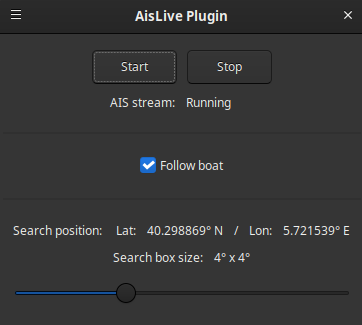
The main window contains the controls required to connect to the AIS stream, manage the search area, and monitor connection status.
Start Stream
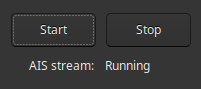
The Start Stream button connects to the OpenWaters.io AIS stream and begins receiving live AIS data.
Controls
-
Start: Connects to the AIS stream and begins transmitting received AIS messages to OpenCPN.
-
Stop: Disconnects from the stream and stops receiving new AIS data.
-
Connection status: Displays whether the plugin is connected or disconnected.
|
An active internet connection is required while using the plugin to stream AIS data. |
Follow Boat Mode
Follow Boat keeps the search area centered on the own ship while navigating.

Instead of updating continuously, the search area recenters automatically when the own ship has moved roughly one-third of the current search area’s width. This reduces unnecessary updates while keeping vessels ahead of the boat within the monitored area.
|
This mode is enabled by default. |
Search Position
The search position defines the geographic area requested from the AIS stream.
The displayed latitude and longitude indicate the current center of the search area.
-
When Follow Boat is enabled, the position follows the own ship.
-
When a manual position is selected, the search area remains fixed until changed.
The Search Area slider adjusts the monitored region from 1°×1° up to 10°×10°.
|
Larger search areas may contain more AIS targets and require additional data to download and process. |
Context Menu
Right-click anywhere on the chart and select AisLive….
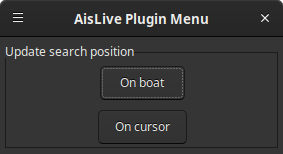
The context menu provides quick access to search position controls without reopening the main window.
Available Actions
-
On boat: Centers the search area on the own ship and enables Follow Boat mode.
-
On cursor: Centers the search area on the selected chart location and disables Follow Boat mode.
The second option is useful when monitoring traffic in another harbor or coastal area while remaining elsewhere on the chart.
Settings
The plugin settings are available through Options → Plugins → AisLive.
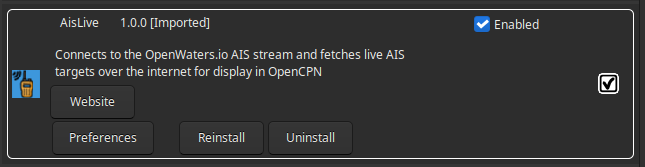
Click Preferences to open the settings window.
Options
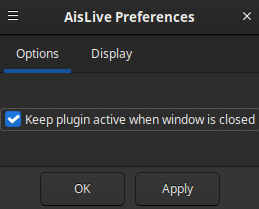
| Keep transmitting when window is closed |
Keeps the AIS stream active after closing the plugin window, allowing vessel traffic to continue updating while using other OpenCPN tools. |
|
This mode is enabled by default. |
|
Toolbar icon stays highlighted when the window is closed but data is still streaming |
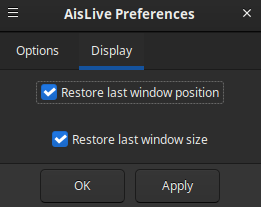
Notes
Connections
-
AIS messages are injected into OpenCPN’s internal NMEA data bus.
-
Any plugin or instrument listening to that bus can receive the streamed AIS targets.
-
The plugin does not create a serial or network output directly. Use OpenCPN connection settings if external forwarding is required.
General
-
An active internet connection is required while streaming.
-
The selected search area determines which AIS targets are requested from the online service.
-
Larger search areas may increase bandwidth usage and update time.
-
Follow Boat mode automatically keeps the monitored area aligned with vessel movement.
-
Closing the plugin window stops streaming unless Keep transmitting when window is closed is enabled.
-
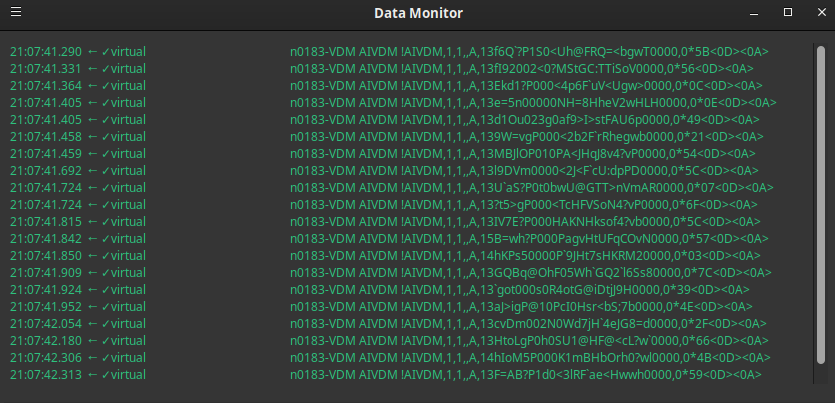
Received AIS messages can be viewed in the OpenCPN Data Monitor window.
Plugin-generated AIS messages appear with the virtual tag, making them easy to identify.